
Renovate Audio: AI Tools for Music Producers — Vocal Processing, Sample Generation and a VST3 Melody Plugin
AI music production tools that take you from idea to finished track faster
AI-assisted plugins have changed how a lot of producers work. Instead of doing pitch correction, timing edits, and tone shaping one step at a time, many tools can now analyze your audio and apply multiple fixes in a single pass.
That same idea is showing up on the creative side too. You can guide sound design with text, turn rough ideas into usable parts, and generate fresh variations fast.
Renovate Audio builds on those advances with a suite of three tools: Renovate Melody is a VST3 plugin for your DAW (macOS, including Apple Silicon, and Windows), while Renovate Vocals and Renovate Sample run in your browser with no install.
Plans are credit-based, and one wallet covers Vocals, Sample, and Melody. You can start with free credits and explore without committing.
Renovate Vocals: AI vocal cleanup, pitch polish and studio-grade vocal processing
Renovate Vocals is built around AI Polish, a one-click enhancement that analyzes pitch, tone, sibilance, and dynamics, then picks settings automatically.
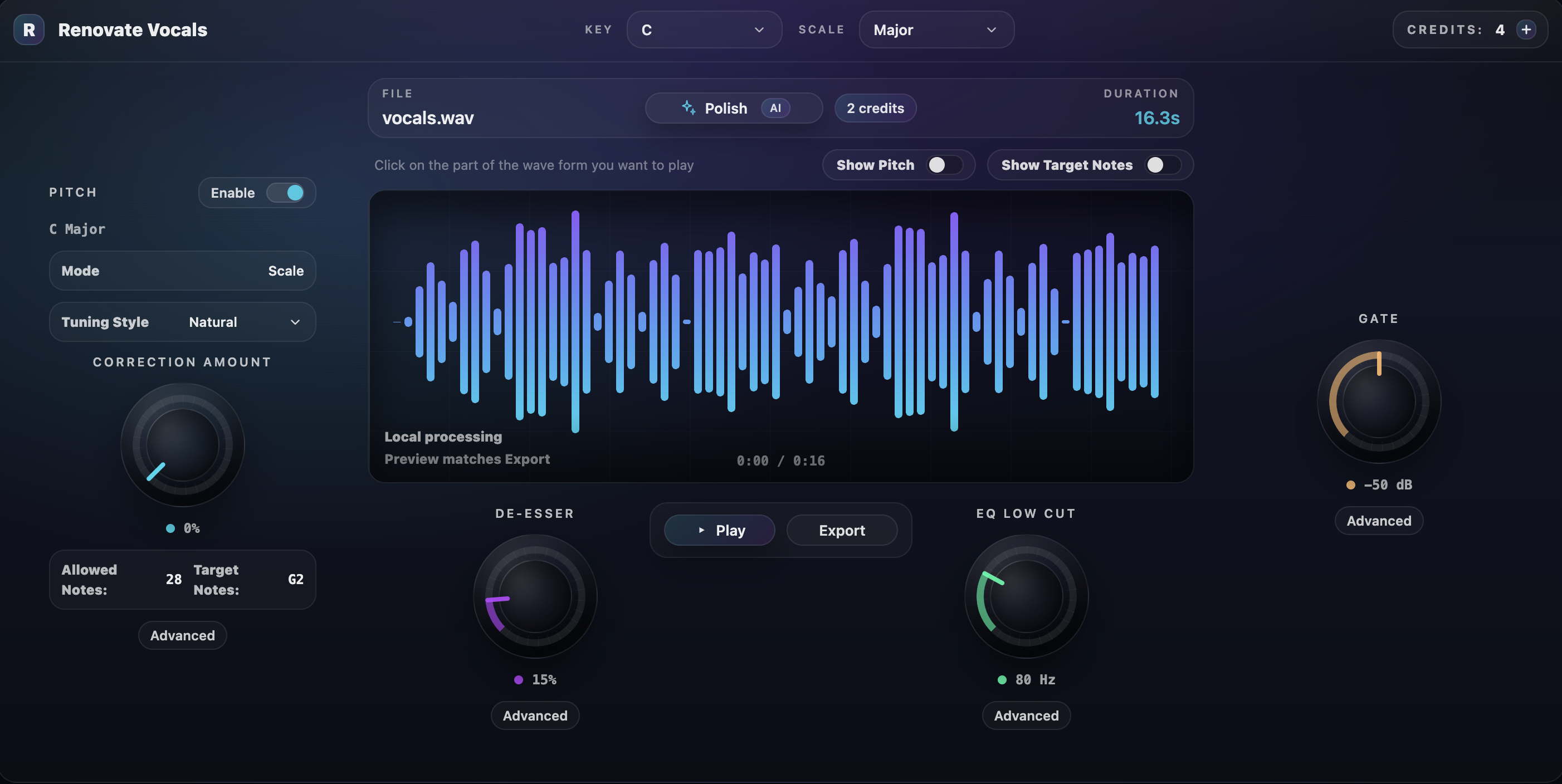
Here's what the workflow focuses on:
- One-click polish with A/B switching. Upload a WAV or MP3, press Polish, then toggle between the original and processed audio.
- A clear change list with per-setting revert. After Polish, you can see what changed (pitch correction, de-essing, compression, EQ) and roll back individual adjustments.
- Unlimited use on paid plans. Free users spend 2 credits per polish, while all paid plans (Starter, Pro, and Studio) include unlimited polish at no credit cost.
- Preview matches export. Your vocal is processed securely and never used to train models; raw uploads are deleted after processing.
The flow is simple: upload, optionally tweak settings, run AI Polish, A/B the result, then export.
Renovate Sample: AI sample generator for kicks, 808s, bass, drums and one-shots
Renovate Sample is designed to reduce the time you spend hunting for sounds.
It supports two modes:
- Prompt generation: describe what you want (up to 100 characters) and generate a preview.
- Reference generation: upload audio and generate something guided by that reference.
You can generate and audition in the browser, then export what you actually keep. Supported uploads include WAV, and MP3.
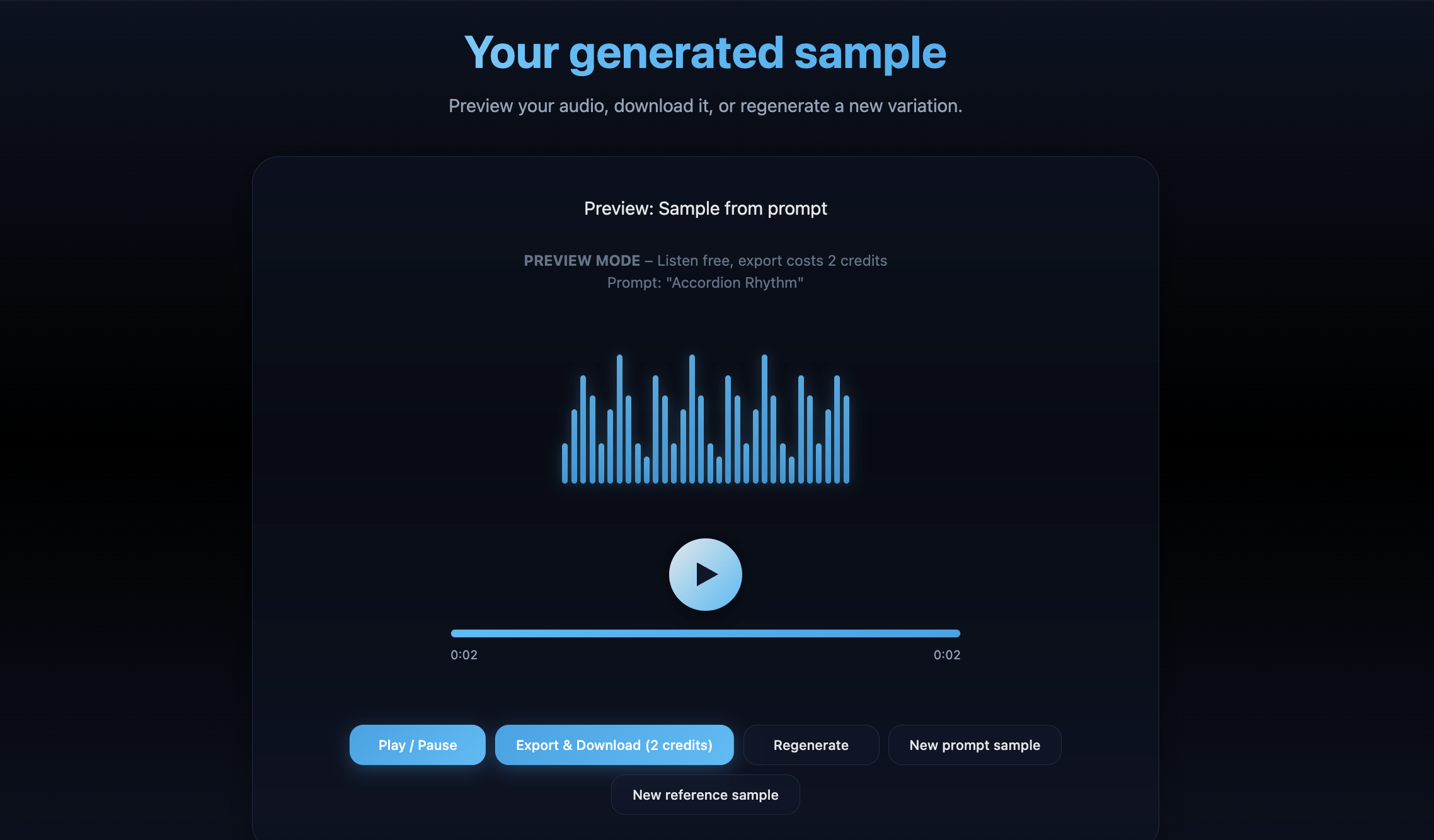
A few practical features:
- Prompt guidance: helps you include genre, mood, energy, tempo, and use case (kick, 808, lead, FX).
- Preview-first workflow: generate, listen, iterate, then export.
- Library storage for subscribers: All paid plans include Library Storage to keep exports organized across sessions.
Credit rules: your first generation each day is free, additional generations cost 1 credit, and exports cost 1 credit per sample.
Renovate Melody: AI melody generator plugin for chords, leads, MIDI ideas and creative variation
Renovate Melody turns your audio into melody ideas you can shape quickly.
The flow: upload a sample (WAV), choose a generation type (Bass, Kick, Snare, or FX), then add a text prompt (up to 500 characters) to guide the result.
Generation costs 1 credit per output. You can request a remix (variation) for another credit.
After it generates, you can audition and edit in a 16-step sequencer, including pitch-variation lanes. The Melody Library lets you save, favorite, edit, delete, and export ideas.
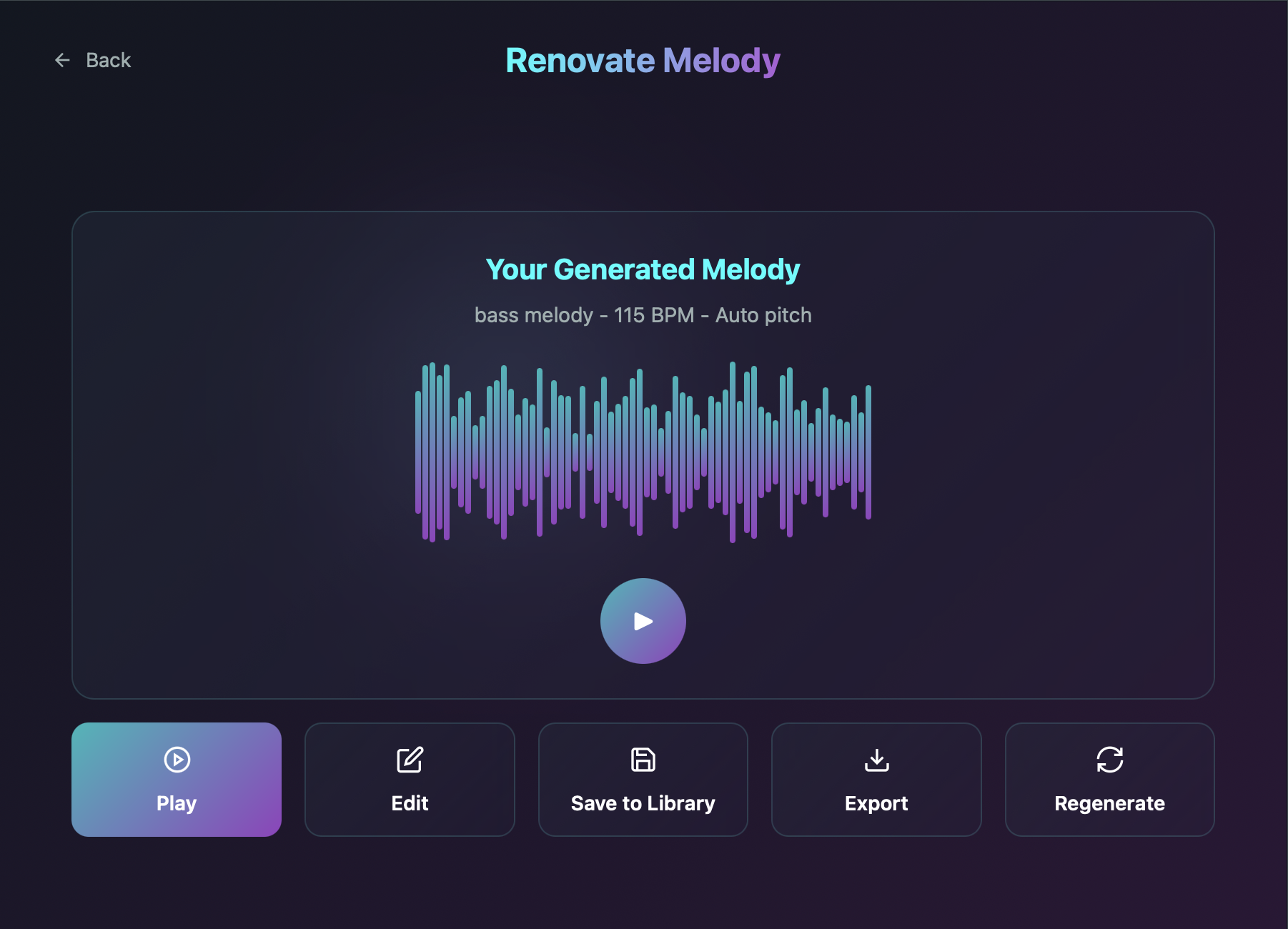
How Renovate Audio works: upload audio, generate results, edit fast, export clean
Across Vocals, Sample, and Melody, the workflow stays consistent.
- Upload audio in common formats (WAV, MP3).
- Generate with AI:
- Vocals: AI Polish analyzes pitch, tone, and dynamics in one pass.
- Sample and Melody: prompt or choose a type, then generate a preview.
- Edit quickly:
- Vocals: A/B comparison and per-parameter controls, plus the ability to revert single changes.
- Melody: 16-step editing for rhythm and pitch variation.
- Export clean: download processed vocals or generated audio with exports intended to match what you auditioned.
Credits work like tokens: free accounts start with 4 credits and get a free daily sample generation. Paid plans refresh credits monthly and include unlimited vocal polishing.
Studio-grade controls: presets, A/B comparison, key and tempo tools and a non-destructive workflow
The goal here is "fast first pass, control when you want it."
AI Polish can choose pitch correction, EQ, compression, de-essing, and harmonic enhancement automatically, but you can still shape the outcome.
Key controls include:
- A/B switching for quick decisions.
- Per-setting revert so you can keep what works and undo what doesn't.
- 16-step sequencing in Melody for pattern and pitch tweaks.
- Preview-first generation in Sample so you do not waste exports on ideas you will not use.
Nothing forces you to overwrite your original recording. You can iterate without losing your starting point.
Built for real producer workflows: tracking, beatmaking, sound design and mixing in your DAW
Here are a few common ways producers use the suite:
- Tracking and vocal production: polish raw takes quickly, then export stems into your DAW for the rest of the mix.
- Beatmaking and sound design: generate kicks, bass, snares, and FX, using the daily free generation to explore options.
- Melody creation and arrangement: generate ideas from your audio, then edit them in the step sequencer.
- DAW compatibility: use the Melody VST3 plugin in your host; Vocals and Sample run in the browser and export WAV files you drop into any DAW.
Since the credit wallet is shared, you can move between vocals, samples, and melodies without juggling separate balances.
Finish more tracks with Renovate Audio
Polish vocals in one click, generate original samples from text, and turn your audio into MIDI melody ideas — all in the browser or your DAW. One credit wallet, every tool.
4 free credits (2 AI Polishes) on signup — no card required.
Royalty-free creation and original results: preloaded sounds, user uploads and safe commercial use
A fair question with AI audio is rights and reuse.
Renovate describes exports as royalty-free, and the workflow is built around generating new results from your prompts or your own uploaded audio. Still, it's smart to read the license terms for your account and keep a copy for your records.
If you're releasing music commercially, treat this like any other production tool: know the license, then create confidently.
Pricing and plans: subscription tiers, credit wallet and what you get per product
Renovate Audio's pricing is structured like this:
On sign-up, you receive 4 free credits — two full AI Polish runs, plus your first export free.
Free plan:
- Use credits across any product
- AI Polish costs 2 credits per run
- Sample or melody generations cost 1 credit per output
- One free sample generation per day
Starter plan — $5/month:
- 25 credits/month
- Unlimited vocal polish
Pro plan — $10/month:
- 50 credits/month
- Unlimited vocal polish
Free signup credits are a one-time grant with no monthly refresh; upgrade to any paid plan for monthly credits. First-time subscriptions include a 14-day money-back guarantee.
Free credits and limited-time offers: start creating with Renovate Audio today
You start with 4 free credits when you register.
Renovate Sample also includes one free generation every day, so you can test ideas without spending credits.
Discount codes or bonus-credit promos may show up through the newsletter or social channels, and the home page is the best place to check what's active.
Use cases by genre: hip-hop, trap, EDM, pop, R&B and film scoring
- Hip-hop and trap: generate 808s, drums, and FX quickly. Use Melody for counter-melodies and hook ideas.
- EDM and pop: build risers, leads, bass tones, and glitchy textures. Iterate fast until the sound fits the drop.
- R&B and soul: polish vocals early, then spend time on vibe choices instead of cleanup. Use Melody for subtle harmonic movement.
- Film scoring: prompt cinematic one-shots, drones, hits, and transitions. Turn organic recordings into melodic material you can shape.
Because you can work from prompts or references, you can push the output toward whatever style you're in.
Why Renovate Audio beats sample packs and traditional plugins: faster output, more variation, better ideas
Sample packs and manual chains can work, but they often force you into a slower loop: hunt, audition, settle, then try to make it fit.
Renovate is built around a different loop:
- Speed: get a solid first pass quickly, then refine.
- Variation: regenerate options until the sound lands where you need it.
- Control: revert single vocal changes, or reshape melodies step-by-step in the sequencer.
- Consistency: one wallet across products keeps the workflow simple.
The end goal is not "hands off." It's getting you to a usable result faster, with the option to steer it the moment you want to.
System requirements and plugin format: what you need to run Renovate Audio tools
Renovate Audio is available as:
- Web app: Renovate Vocals and Renovate Sample run in your browser with no installation.
- VST3 plugin: Renovate Melody works in DAWs that support VST3 on macOS and Windows.
It supports Mac and Windows and is Apple Silicon ready.
Exports are WAV for vocals and melodies, and WAV or MP3 for samples. If you use the web version, you'll also need a modern browser and an internet connection.
Producer resources: tutorials and workflows
Renovate's blog and social channels focus on practical workflows: prompt ideas, tutorial clips, and product updates.
You'll also find plenty of third-party walkthroughs on YouTube that cover genre-specific settings, DAW integration, and ways to get better results faster.
FAQ: AI samples, AI melodies, vocal processing, the Melody VST3 plugin, credits and exports
Are the generated samples and melodies royalty-free?
Renovate describes exports as royalty-free and built around original generation from prompts or your uploaded audio. Always review the license terms for your account if you're releasing commercially.
How many credits does each action use?
Free accounts start with 4 credits. AI Polish uses 2 credits per run for free users. Melody generation and remixes cost 1 credit per output. Sample generation costs 1 credit per generation after the free daily run, and 1 credit per export.
What audio formats are supported?
Sample and Melody support WAV, and MP3. Vocals accepts WAV or MP3. Exports are WAV for vocals and melodies, and WAV or MP3 for samples.
Does AI Polish replace manual vocal editing?
It handles a lot of the first-pass work in one go, then shows what changed and lets you revert individual adjustments. You still get control, and you can keep tweaking in your DAW afterward.
What are the system requirements?
Renovate Vocals and Renovate Sample run in a modern web browser. Renovate Melody is a VST3 plugin for macOS (Apple Silicon and Intel) and Windows 10+, and requires a 64-bit DAW with VST3 support.
Conclusion
Renovate Audio is built for producers who want to move fast without giving up control.
Use it to clean up vocals, generate new samples, and turn audio into melody ideas you can actually shape. The shared credit wallet makes it easy to bounce between tools, and the browser tools plus the Melody VST3 plugin let you work however you prefer.
If you want a quicker loop from idea to finished track, that's the whole point here.